Overview

Choose your presentation kit

One remote for your Mac. Or a dedicated presenter.

Presenter Pro is a development preview. The beta download does not establish that all presentation tools are included.
Presentation remote comparison

Compare the complete setup: the app, remote and any AI services. Hardware prices and availability are on the manufacturer pages.

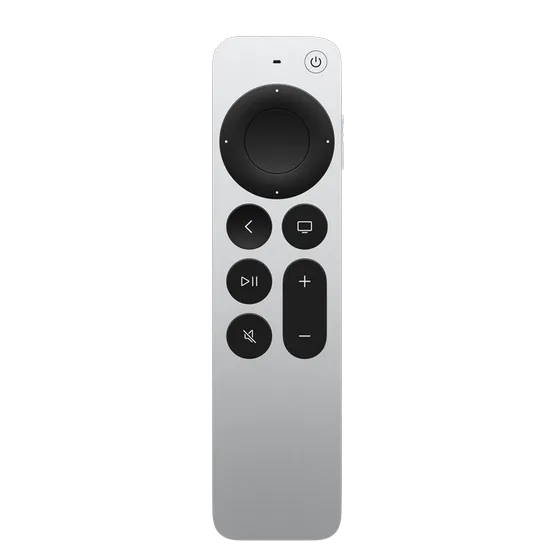
Official product photo of the Apple Siri Remote with touch ring and aluminum body

SayRemote + Siri Remote

How you control it
Clickpad pointer, ring scrolling and mapped buttons
Voice setup
Mac mic first; remote mic needs advanced setup
Platform
Mac; included download is Apple silicon, macOS 13+
Total cost
Planned $19 app + Siri Remote + any AI usage fees

Presenter Pro is a development preview. The beta download does not establish that all presentation tools are included.

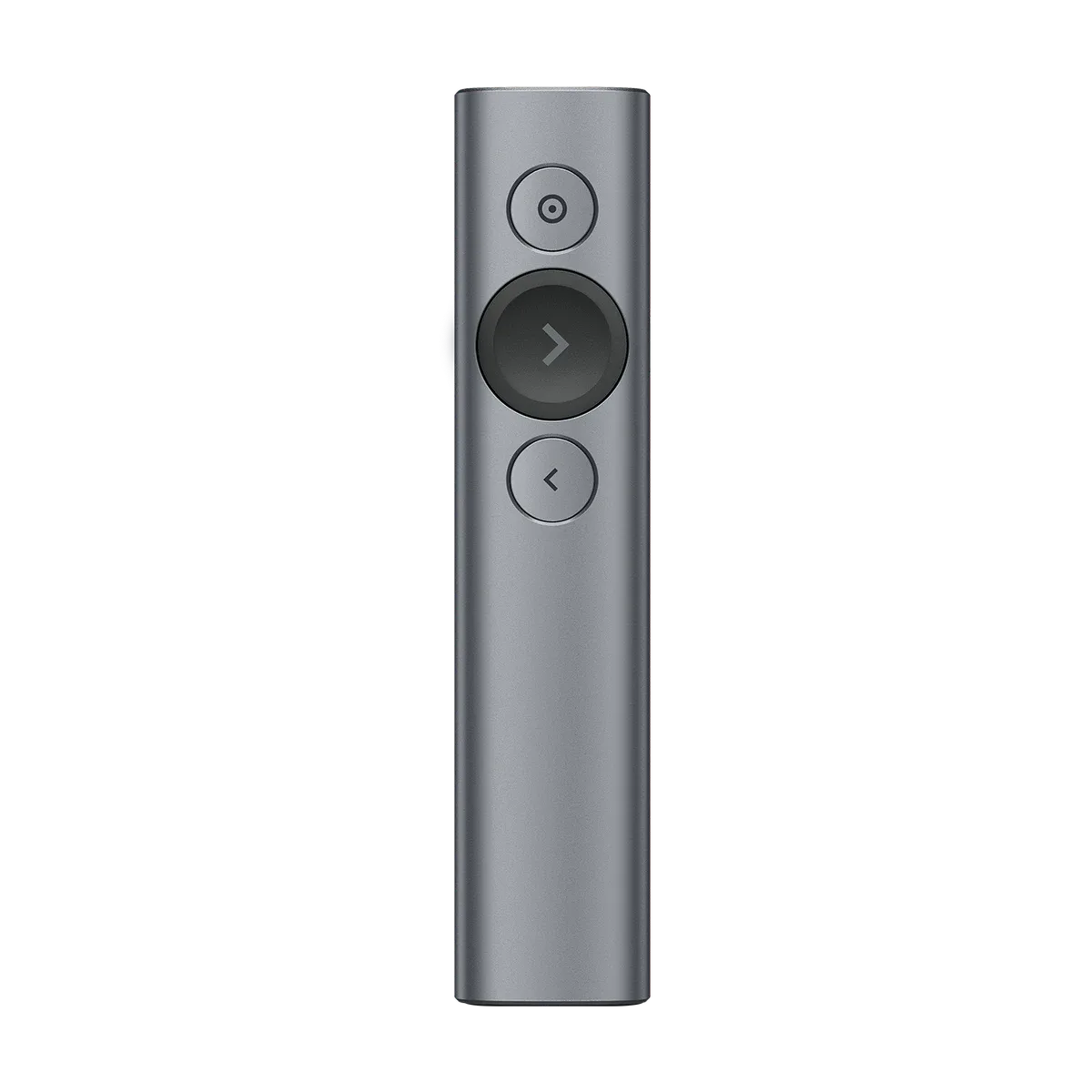
Official product photo of the Logitech Spotlight presentation remote

Logitech Spotlight

How you control it
3 presentation buttons: pointer, next, back · gesture control & haptic alerts
Voice setup
No microphone or voice features · 100% focused on presentation slides
Platform
Windows / macOS · dual connection via USB receiver (2.4GHz) or Bluetooth
Total cost
Hardware purchase (~$129.99 USD) · see current manufacturer price

Dedicated presentation hardware with digital pointing modes.

Manufacturer information checked 7 October 2026. Features depend on model, software and setup. Follow the source for current pricing.

View product page
FeatureSayRemote + Siri RemoteLogitech SpotlightLogitech R500s
PointerDigital laser · previewDigital laserPhysical red laser
Highlight & magnifySpotlight + 2× loupe · previewHighlight + Magnify via Logi Options+Not listed by Logitech for R500s
Platform & connectionMac app + compatible Siri Remote over BluetoothWindows / macOS · USB receiver or BluetoothWindows / macOS · USB receiver or Bluetooth
Beyond slidesVoice, scrolling and configured AI shortcuts. Availability depends on your setup.Custom buttons, gestures and volume via Logi Options+Custom button functions via Logi Options+
Setup costPlanned $19 app + remote if needed. AI usage may cost extra. Sales are not open.Hardware purchase · see current manufacturer priceHardware purchase · see current manufacturer price

SayRemote + Siri Remote

Pointer
Digital laser · preview
Highlight & magnify
Spotlight + 2× loupe · preview
Platform & connection
Mac app + compatible Siri Remote over Bluetooth
Beyond slides
Voice, scrolling and configured AI shortcuts. Availability depends on your setup.
Setup cost
Planned $19 app + remote if needed. AI usage may cost extra. Sales are not open.

Logitech Spotlight

Pointer
Digital laser
Highlight & magnify
Highlight + Magnify via Logi Options+
Platform & connection
Windows / macOS · USB receiver or Bluetooth
Beyond slides
Custom buttons, gestures and volume via Logi Options+
Setup cost
Hardware purchase · see current manufacturer price

Logitech R500s

Pointer
Physical red laser
Highlight & magnify
Not listed by Logitech for R500s
Platform & connection
Windows / macOS · USB receiver or Bluetooth
Beyond slides
Custom button functions via Logi Options+
Setup cost
Hardware purchase · see current manufacturer price

Manufacturer sources · checked October 7, 2026. Features and prices can change. SayRemote presentation features are a development preview.

Also considering R400? It offers a physical red laser and USB receiver for basic presenting. Check its current compatibility before buying.

Presenter Pro: a look at the controls

Author-provided development screenshots. This preview does not mean every option is included in beta v0.2.3.

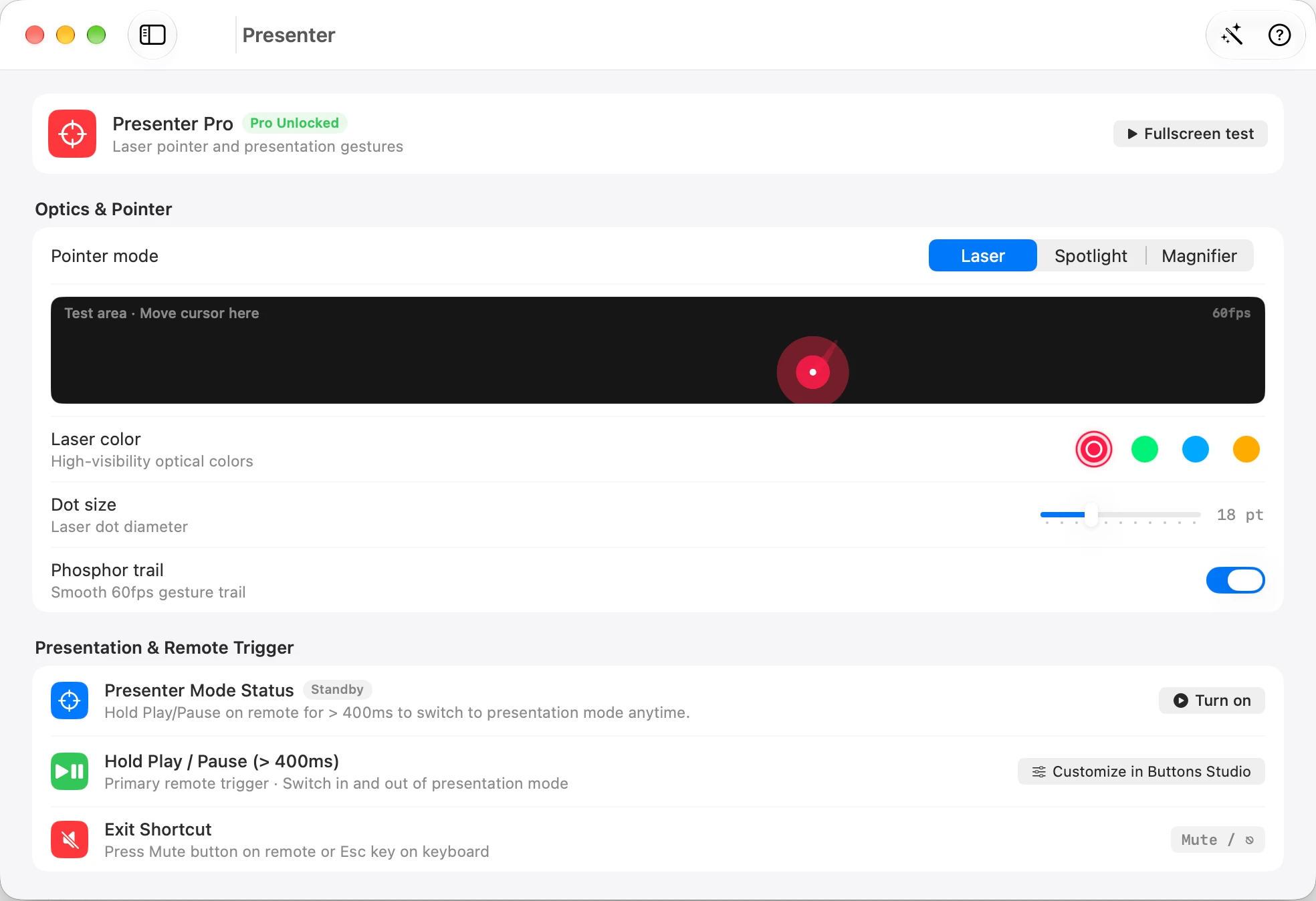
Laser controls

Laser controls

See pointer color and size alongside the presentation controls.

Enlarge screenshot
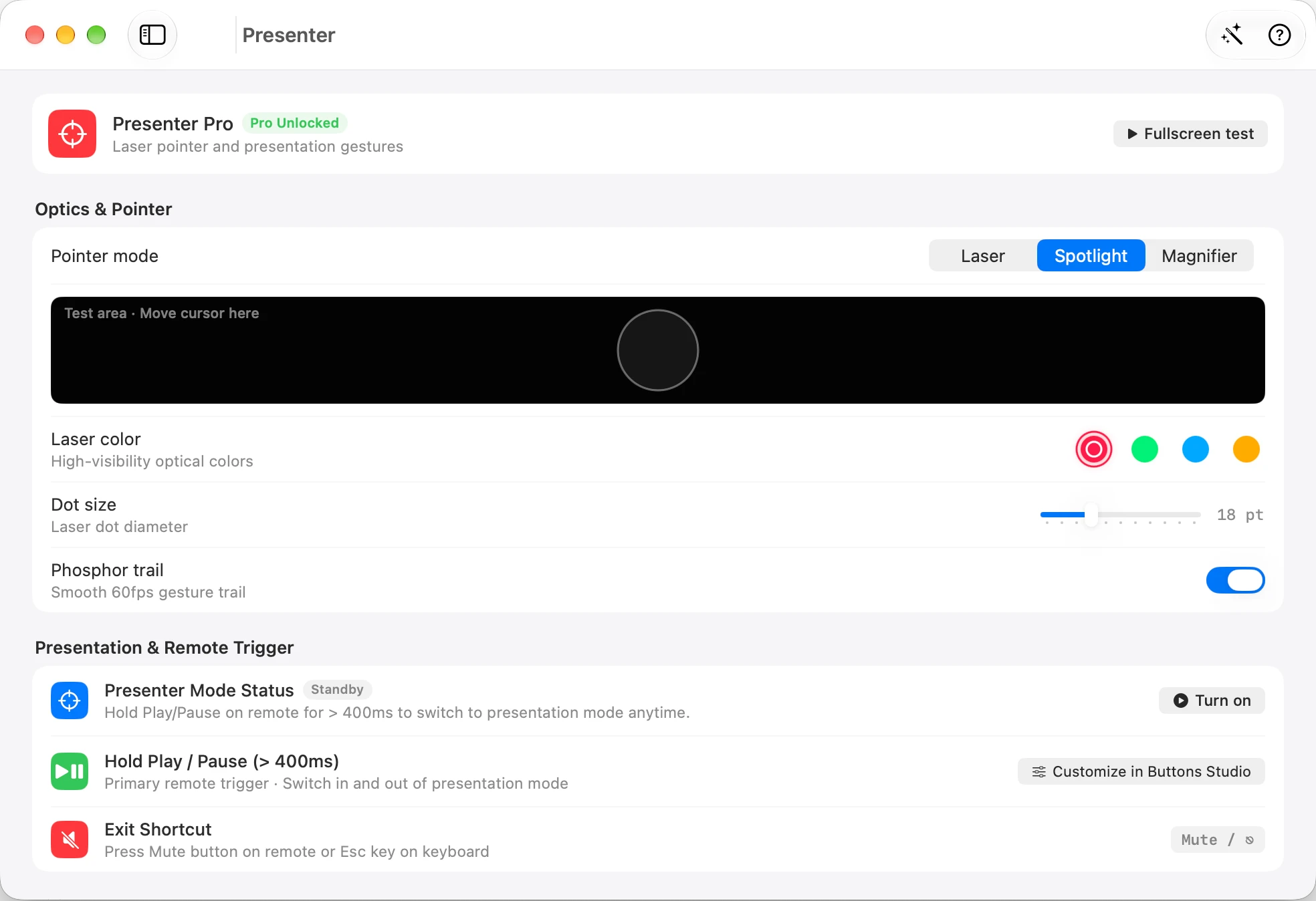
Spotlight controls

Spotlight controls

The screenshot shows Spotlight selected in the pointer mode selector.

Enlarge screenshot
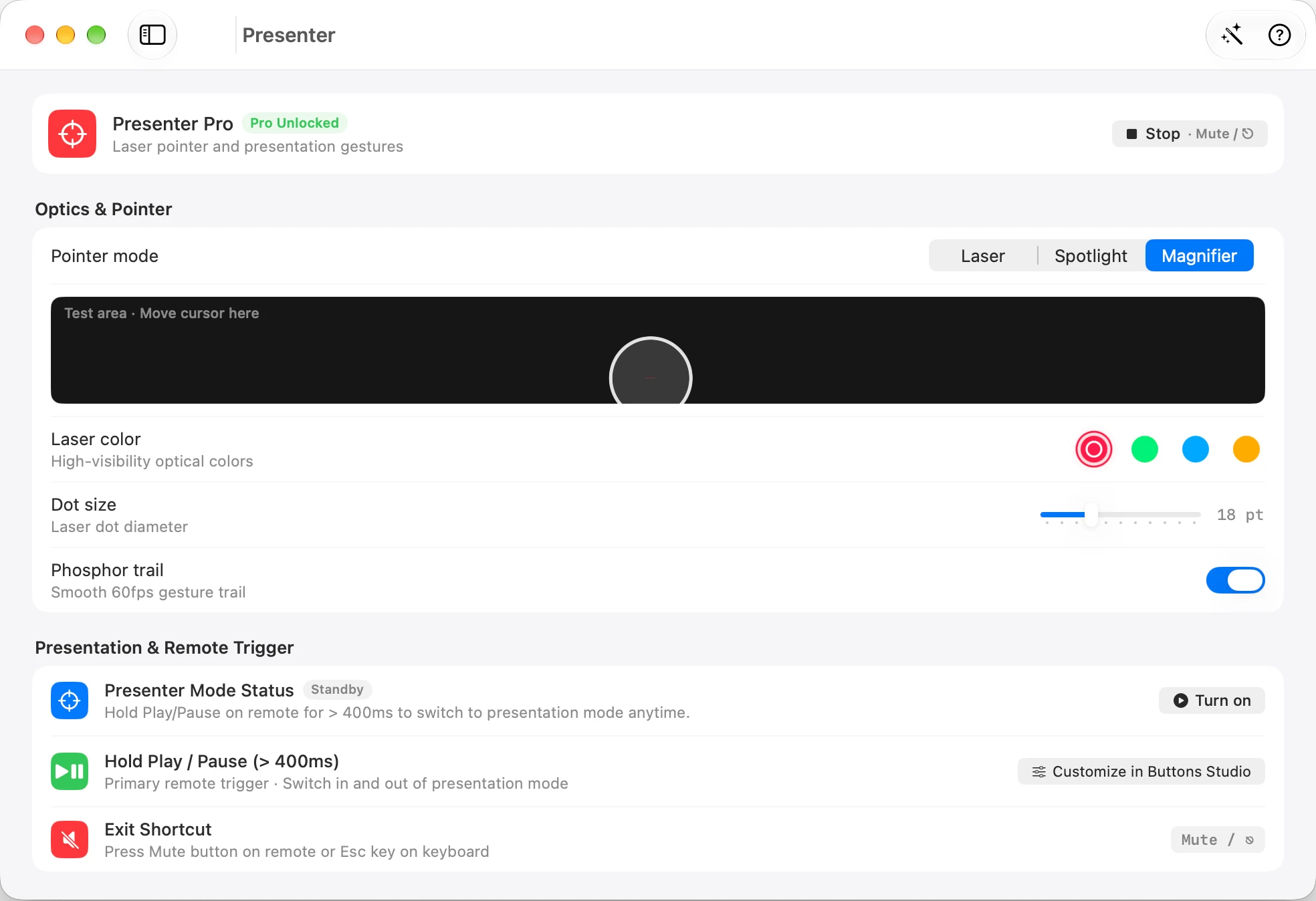
Magnifier controls

Magnifier controls

The screenshot shows Magnifier selected, with gesture and presentation options below.

Enlarge screenshot

Author-provided app screenshots; interface language and options depend on the captured version.

Scroll or pinch to inspect the original interface.

Laser controls

Compare the whole setup.

Have a Siri Remote? Reuse it; consider the app and any services you choose.

Already own a Siri Remote?

Explore presentation tools on the remote you already know, alongside voice, scrolling and AI controls for your Mac.

Want a dedicated presentation device?

Logitech offers purpose-built controls. Spotlight models add digital highlighting; Spotlight 2 also offers a physical laser and haptic feedback.

Put the next move in your hand.

Try one workflow with the remote you already have.

v0.2.3 beta · Apple silicon · macOS 13+
Remote not included